



Run the coaching. We'll run the rest.
Availability, bookings, swing analysis, lesson notes and invoices in one place — so the hours you sell are the hours you spend teaching, not typing.
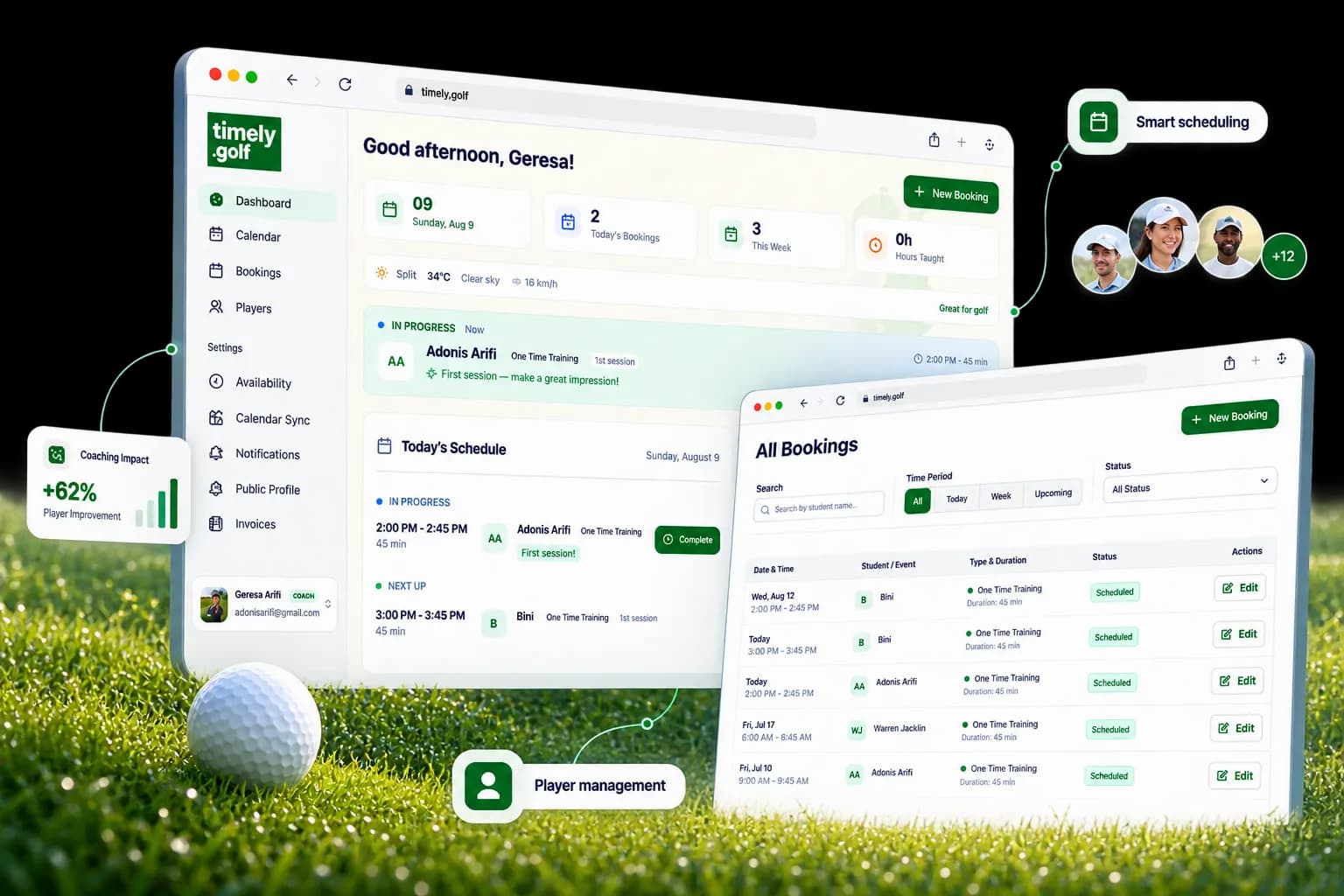
Open the app, know your day.
A working surface, not a chart gallery — everything on it is tappable, and most of it is telling you the next thing to do.
- Today, one tap from doneFinishing a lesson drops you straight into its session note.
- The numbers you'd look forToday's bookings, this week, hours taught this month.
- Nothing goes undocumentedLessons that ended without a note stay surfaced.
- Quiet players resurfaceAnyone idle for two weeks is flagged for a follow-up.
- Teaching insightsYour most-taught focus areas, and how consistently you write notes.
- Conditions at your courseFrom “great for golf” to “not recommended”, before you drive out.

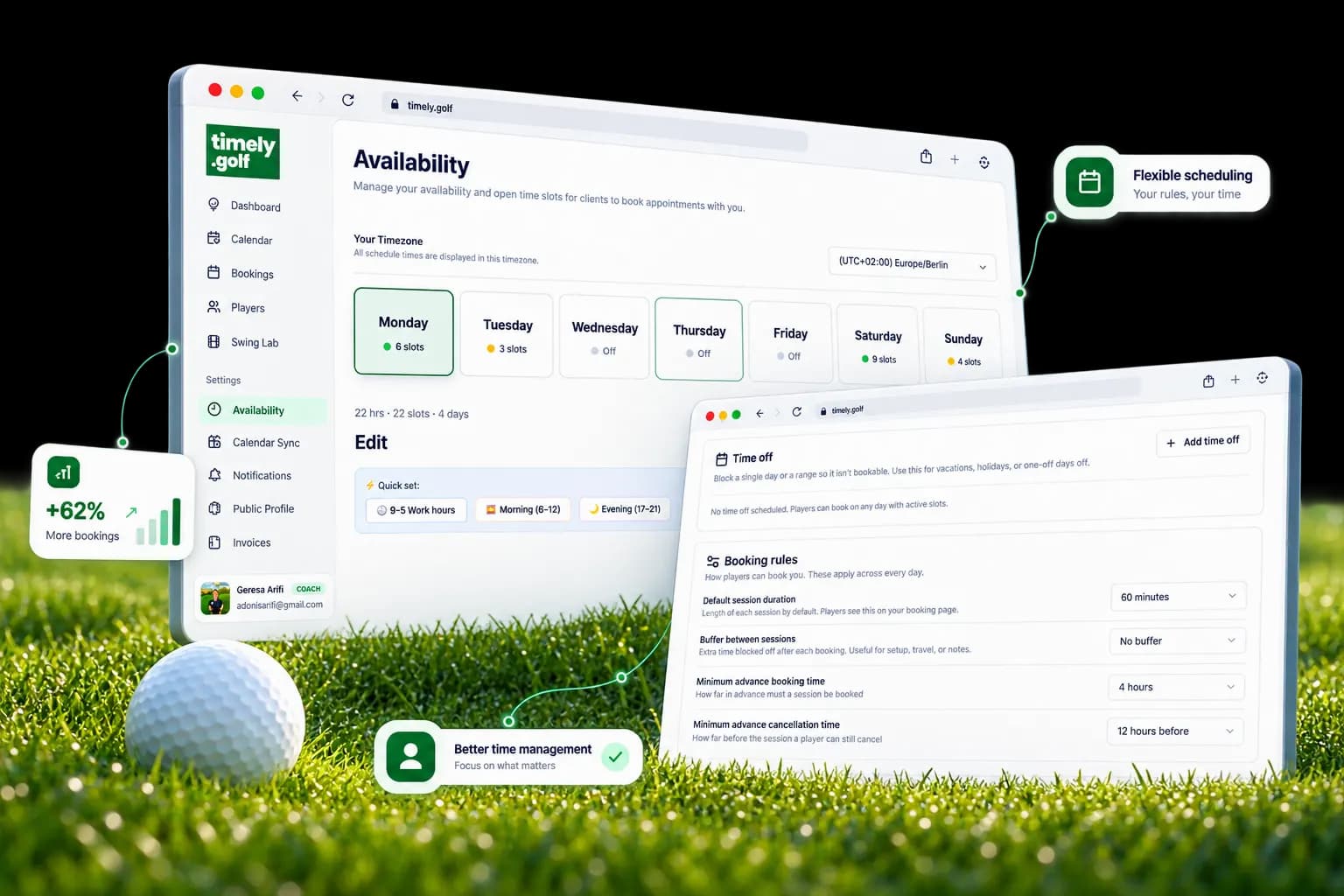
Define the week once. It defends itself.
Your hours, durations, buffers and notice windows are rules the public schedule enforces — not suggestions players book around.
- Your week, your rulesHours per weekday, sessions from 30 minutes to 8 hours, buffers between them.
- Instant, and payment-freeNo approval queue, and Timely never sits between you and the money.
- Never double-bookedEvery booking is checked against your lessons and your personal events.
- Recurring in one stepWeekly or biweekly series, up to a year ahead.
- In the calendar you already useRead-only subscribe from any app; one-way push to Google.
- Emails where you want themBooked and cancelled notices to you, the player, or both.

The lesson tools live where the video is.
Draw, talk and record on the analysis itself — and nothing the AI writes reaches your player until you've reviewed it.
- Draw on any frameMarkup saves with the analysis; it survives the tab closing.
- Say it out loudVoice-overs on frames, or record a full composited lesson video.
- The AI drafts, you decideAssessment, drills and practice plan — editable before anything is released.
- Deliver on your termsIn-app, or a share link with the expiry you choose. Consent is recorded first.
- Know it landedWhen a sent analysis was first opened, and how often since.
- Paperwork, prefilledExport the lesson as a PDF, or let a scan start the session note.


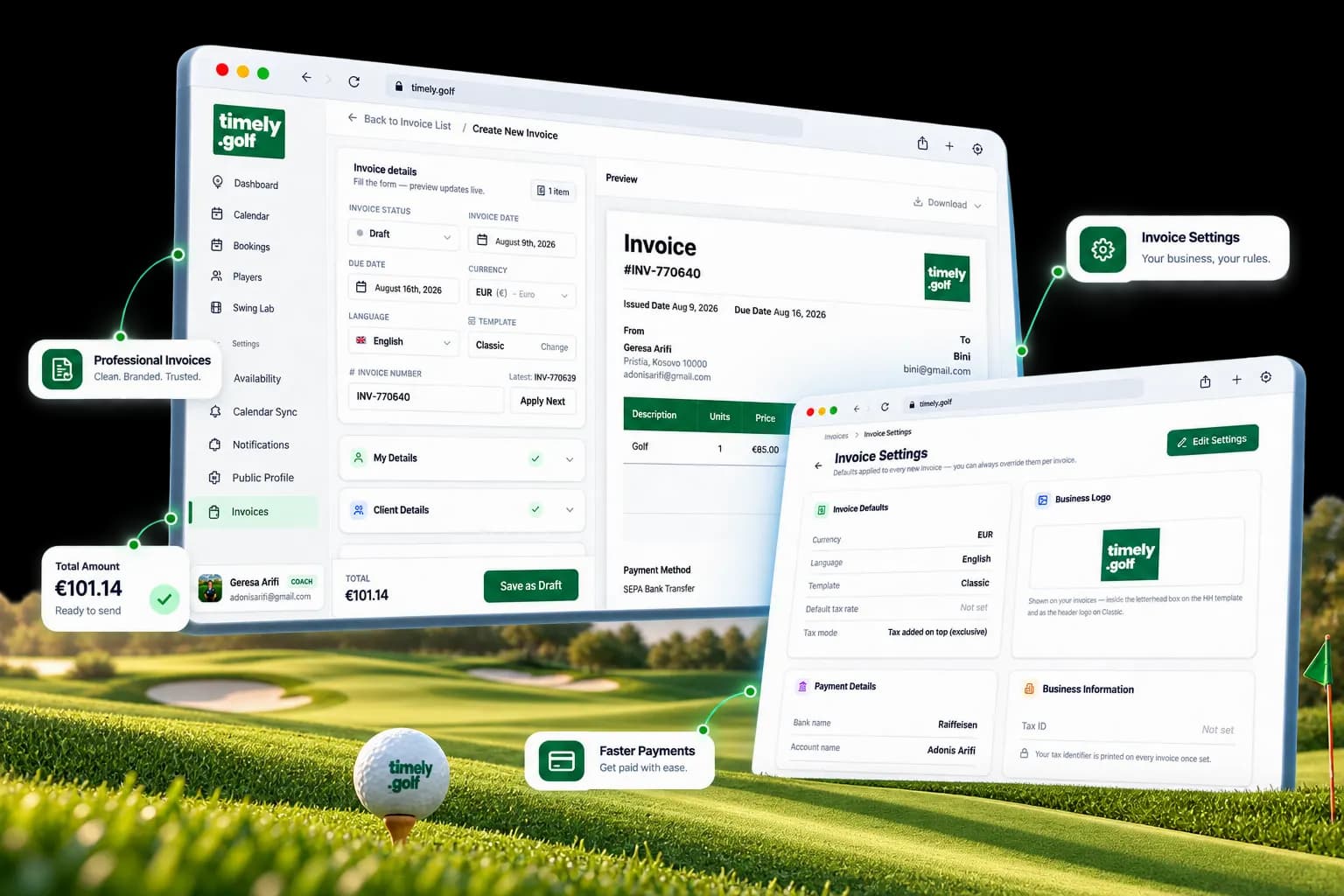
Invoice a month of lessons in seconds.
Un-invoiced lessons pull straight into a professional invoice — in your currency, your language, your numbering.
- Lessons become line itemsPull completed, un-invoiced bookings in instead of retyping them.
- Looks like your businessTwo layouts, your logo and accent colour, in English or German.
- Your numbering, your defaultsPrefix, padding, optional yearly reset, due days and tax handling.
- Part-paid is a real stateDraft through partial payment to paid; internal notes never print.
- The month at a glanceOutstanding, paid this month, and drafts on the invoice list.
- Send it your wayDownload as PDF or image and share it however you already talk.
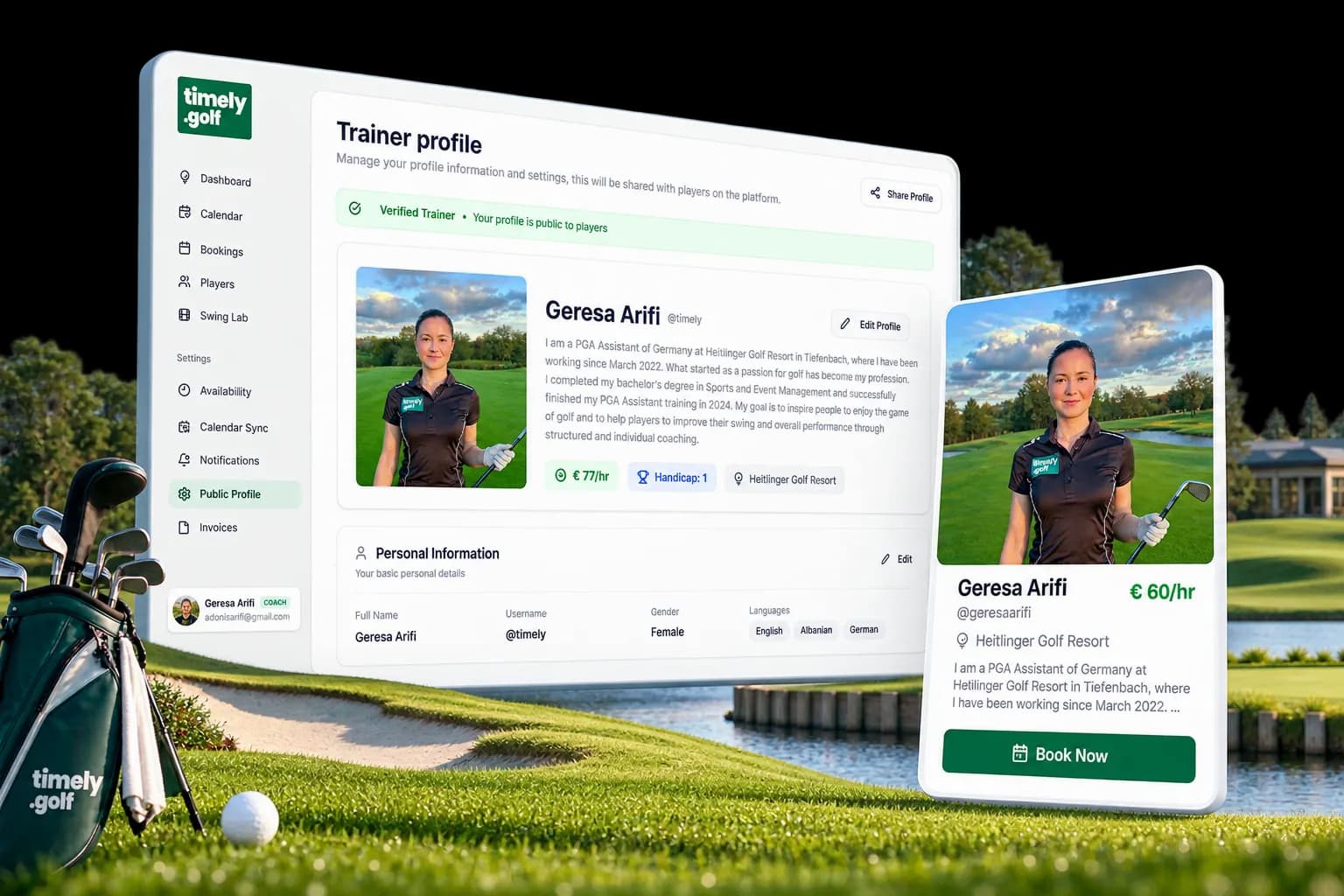
timely.golf/you.
A public coach page players can actually book from — not a brochure with your phone number on it.
- Your own addressCover photo, gallery, videos, bio, rate, languages and socials at your username.
- The schedule is the pageLive availability, showing only genuinely bookable times.
- No account, no barrierOptionally let a first lesson be booked without signing up first.
- Verified means reviewedA human checks the profile; unverified pages stay out of search until then.
- Found by new playersListed in the directory players browse and filter.
- A post, generatedTurn your page into a share card with the message drafted for you.
Your coaching business, in one place.
Timely brings booking, swing analysis, lesson notes and progress together — so coaches spend their time coaching, and players always know what to work on next.